Open your store in 10 minutes. No commission.
No hardware, no contract. No monthly fee while monthly sales stay under NT$30,000.
Open your storeReservations
Stop writing bookings into a calendar and a notebook. Customers book themselves, you approve, and it's done.
- 1
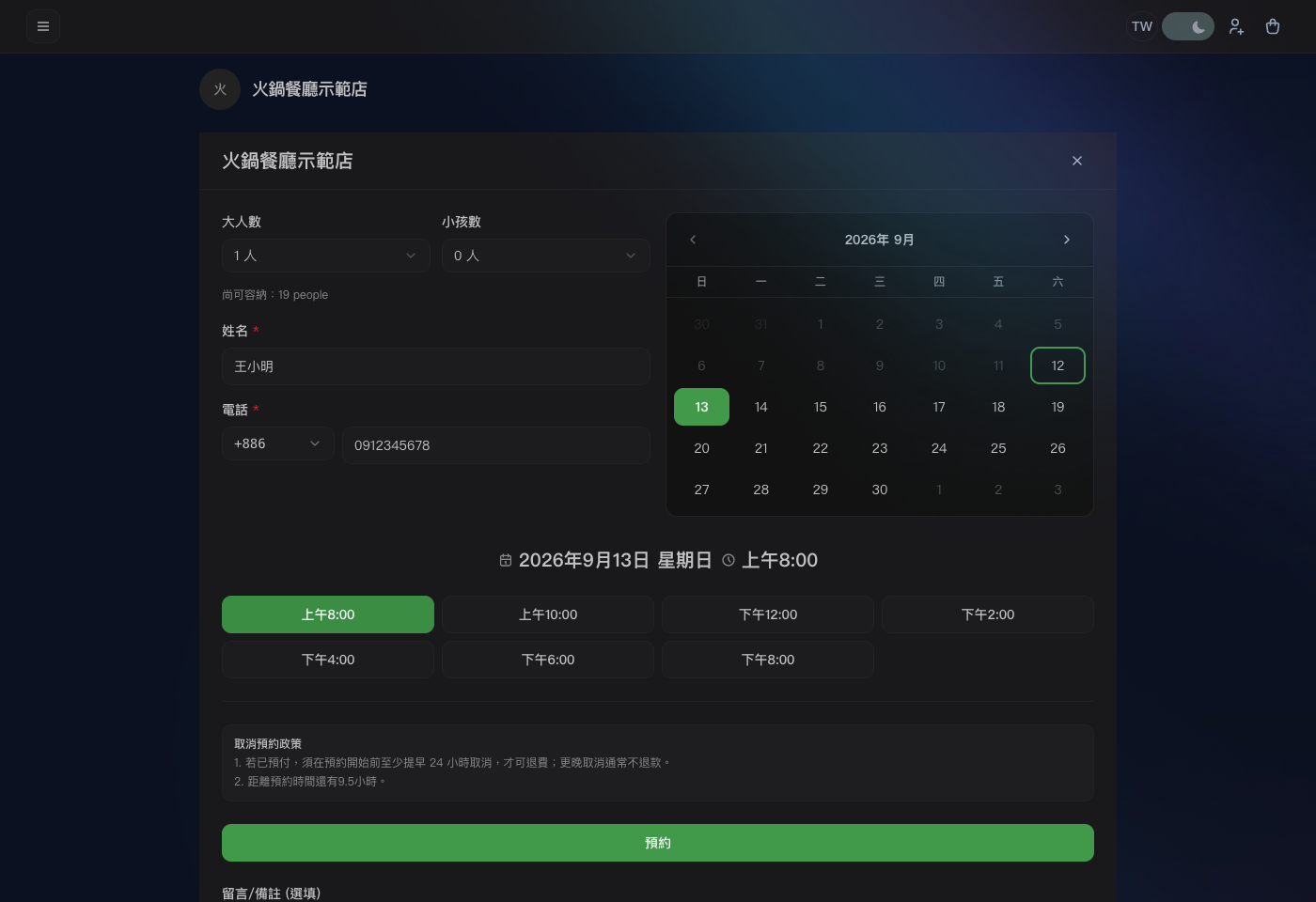
Pick a time
Customers pick a date and time online.
- 2
Pay a deposit or in full
If you require prepayment, it's collected online under your rules.
- 3
Confirmed and reminded
Both sides are notified as soon as it's booked, and reminded before the visit.
- 4
Arrive and get seated
Guests arrive at the booked time and are seated or served.
Online booking
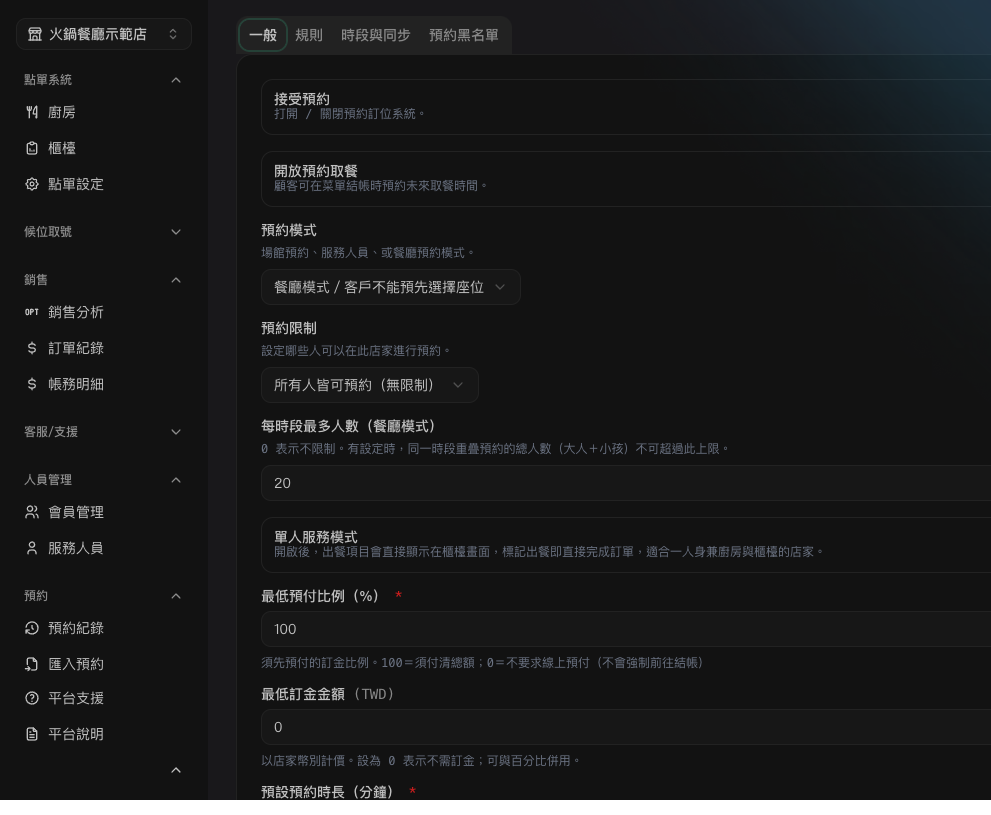
Facility mode: pick a room, court or studio first. Personnel mode: pick a stylist, trainer or therapist. Restaurant mode: date, time and party size only, no table pick. Choose one.
Who can book
Public, members only, or staff-only booking on behalf of guests. You set sign-in rules and who can come back.
Staff hours by location
One staff member, different hours at location A and location B. After the guest picks place and time, only staff scheduled there appear.
Service catalog
Catalog treatments, classes and services; tie them to bookable staff and facilities. Guests pick the service, then the time.
Time-based pricing
Weekday, weekend, time of day. Price the slot for what it's actually worth.
Passes and packs
Deduct a pass or take a deposit at booking. Your cancellation rules apply; the system tracks remaining visits.
Repeating bookings
Weekly repeats and multi-session bookings in one go; availability uses the same rules throughout.
Confirmations and reminders
When a booking changes, you and your guest hear right away (LINE, email, SMS, in-app, one or many). Reminders before the visit. Message in riben.life when you need to talk.
Integrations
Google Maps, LINE and more, on or off. When on, guests can book from search or the map (Google requires public booking with no forced sign-in wall). Bookings sync to staff Google Calendars; busy calendar time can stay closed automatically.
Cancellation policy
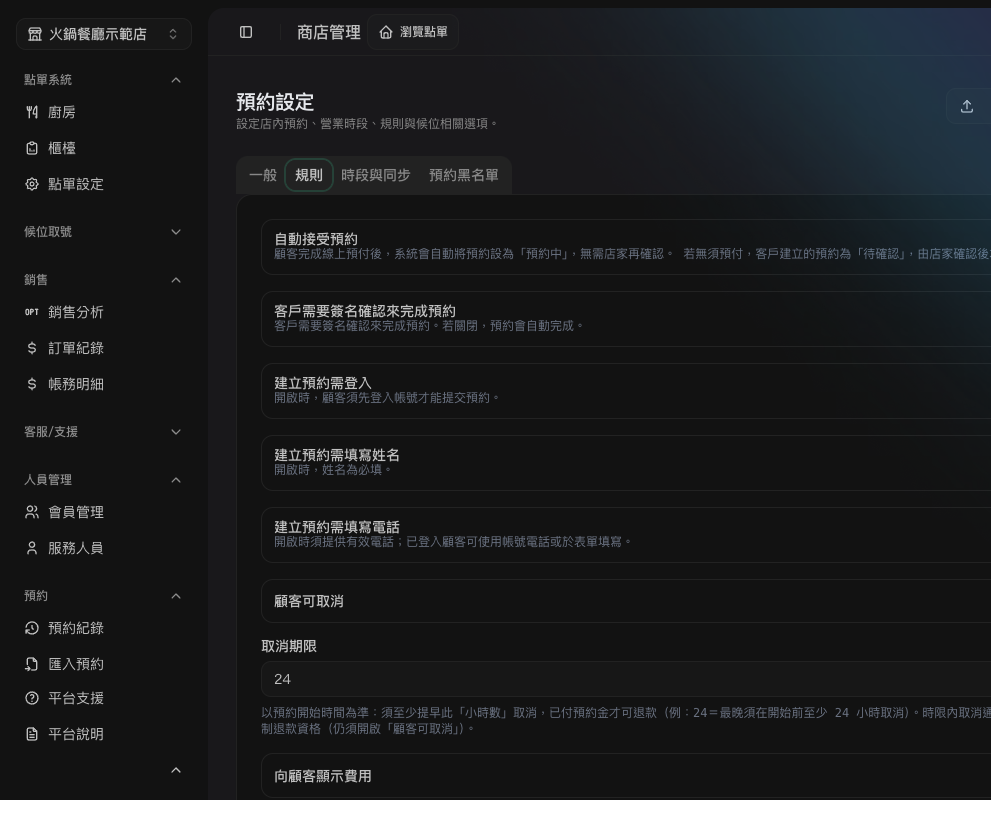
Set the prepayment and the free cancellation deadline. riben.life enforces your rules.
Collect at booking
Set a deposit percentage or take the full amount. Works with all the major payment methods.
Multilingual booking
Guests switch the booking pages between Chinese, English and Japanese on their own, so you do not translate back and forth.
Who can book
- Three access levels: public, store members only, or staff booking on behalf of guests
- Optional sign-in before submit (a guest session does not count)
- Block list: no-shows do not get another online booking
- Staff bookings are not limited by the guest booking window
Your own booking page
Take bookings on your own domain, like abc.com. Your customer list stays yours. It doesn't end up on someone else's platform.
- A booking page with your name on it
- You own the guest list
- No marketplace cut
- Follow up on your schedule, not theirs
Get paid when they book
Take a deposit or the full amount at booking. You set the cancellation rules, and riben.life enforces them.
- Set a percentage, a minimum amount, or both in your prepayment policy
- You decide how late guests can cancel for free
- Refunds follow that deadline
- Works with mobile wallets, cards and more
Plans
Every plan includes reservations, and Free has no booking limit. Its only limit is NT$30,000 in monthly sales.
| Feature | Free | Pro | Multi |
|---|---|---|---|
| Self-serve online booking | |||
| Prepayment and cancellation deadline | |||
| Google, LINE and other integrations | |||
| No monthly reservation cap |
Who uses it
Self-serve online booking; you set access, sign-in and the block list.
Studios and trainers
Classes and consults online; deposit or pass at booking. Group classes share capacity; first visit can be a free trial.
Venues, restaurants and private rooms
Restaurants: party size and time, no table pick. Private rooms and venues: show open slots and collect payment at booking; charge more at peak if you want.
Pet grooming and car detailing
Customers pick the service, the staff member and the time online, and can pay a deposit up front. They get a reminder before the visit, and a canceled slot opens up for someone else.
Hair, beauty, spa
Clients pick the stylist, the service, and the time. You stop playing phone tag.
Clinics
Patients book a time online and get a reminder before they come in.
Solo studios
Nails, lashes, tattoos, massage, photography. Even working alone, you get online booking: clients pick an open slot, and you stop answering messages all day.
Demo
Reservation demo
Pick a service, a date and a time to see online booking the way your customers will.
Try the real demo stores
14 demo stores run on our test site. Order, book and join a waitlist for real. Payments run in test mode, so nothing is charged. You can also sign in to the demo store admin. Data resets every day.
Pricing
What it costs
Start free. Upgrade once the sales are there.
Free
Every feature. The only limit is monthly sales.
- Ordering, reservations, waitlist and a web shop. Turn on only what you need.
- AI assistant, text messages and photo storage: top up credit, pay only for what you use.
- Unlimited reservations
- You pay only once you're earning.
- Free while monthly sales stay under NT$30,000. We'll warn you as you approach the limit. Online orders pause when you reach it; upgrade to restore them right away. We never charge you automatically.
Pro
NT$320 / month (billed monthly)
Platform tryout price. Subscribe by Dec 31, 2026 and keep it until you cancel. Billed yearly at NT$3,588.
No sales cap. Built-in guides included.
- Everything in Free
- No monthly sales cap
- 200 MB of cloud storage included
Multi
NT$800 / month (billed monthly)
Platform tryout price. Subscribe by Dec 31, 2026 and keep it until you cancel. Billed yearly at NT$8,970.
For running more than one location.
- Everything in Pro
- 200 MB of cloud storage included per store
- Up to 3 stores on one plan
Upgrade or downgrade any time after you open. Built-in guides walk you through setup.
Card brands and processors keep their own fees. We charge for the software, not the swipe.
Start taking bookings